 VibeCode
Keyboard shortcuts
On Windows and Linux, use Ctrl where this page says ⌘.
| Keys | What it does |
|---|---|
| ⌘P | Find a file by name. |
| ⌘K or ⌘⇧P | Open the command palette. |
| Enter | Send the message. While the agent works, it reads it at its next step. |
| ⇧Enter | A new line in the message. |
| ⌘S | Save the file in the editor, or the document in Docs. |
| Esc | Close a menu, cancel an edit, or go back to the file list. |
| ↑ ↓ Enter | Move and choose in the palette. |
The command palette
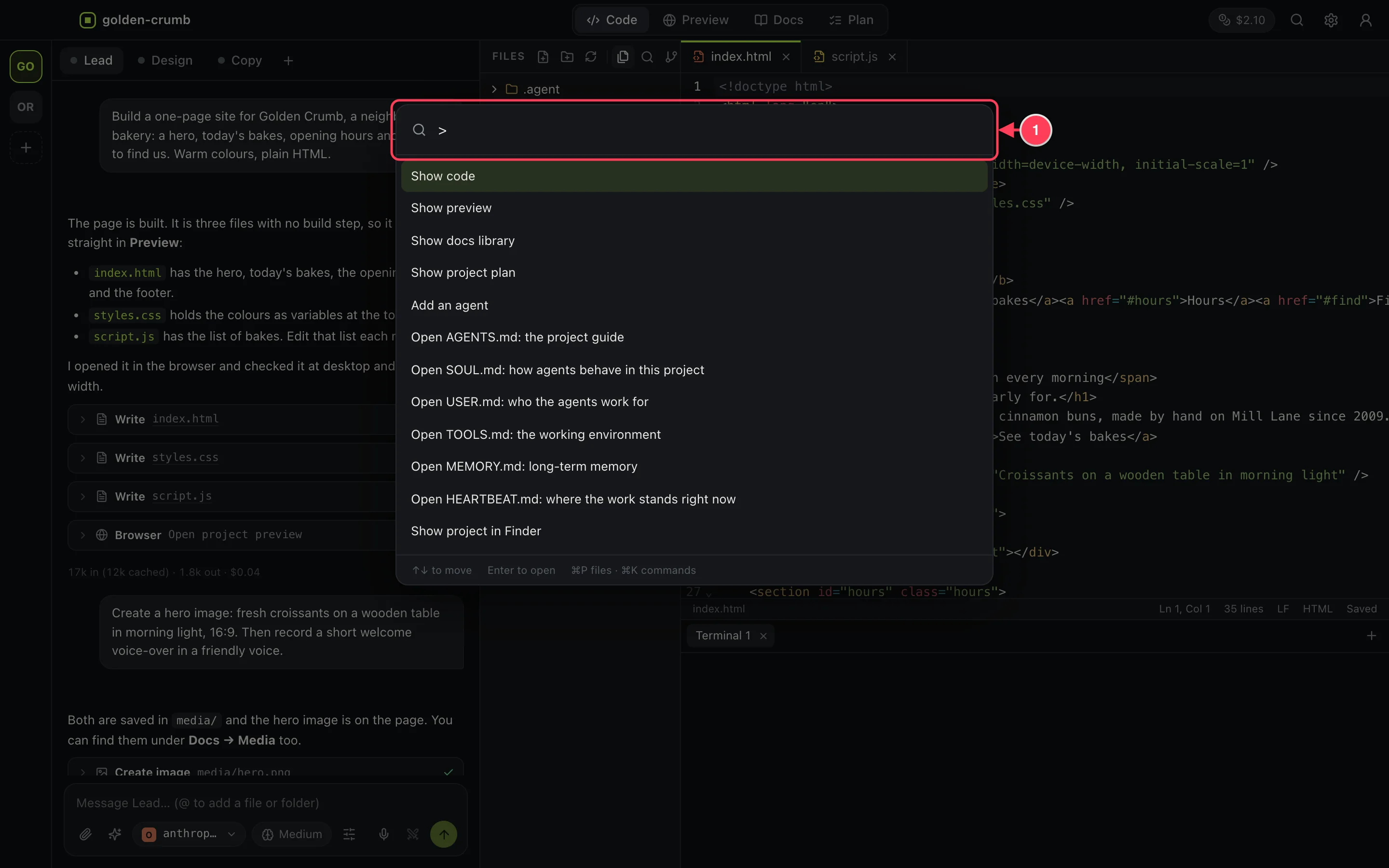
- Type to filter. In the file finder, start with > to switch to commands.
What you can do from the palette:
- Show the code, preview, docs library or project plan.
- Add an agent.
- Open any notebook file.
- Show the project in Finder.
- Undo the last agent turn, or redo.
- Create a new skill.
- Condense the conversation.
- Start any ready-made task.
- Open settings, switch the theme, turn auto-save on or off.
- Open the documentation or one of its guides.