 VibeCode
Plan and tasks
A plan breaks the project into phases of concrete tasks. You and every agent work from the same list: agents mark tasks as they go and add the follow-ups they find.
Create a plan
Open the Plan view. With no plan yet, it offers three ways to start:
- Research and plan this project: the agent writes a project brief, researches competitors and the market on the web, then builds the plan from what it found.
- Plan only: the agent writes the plan from what it knows about the project.
- Start an empty plan: you write the tasks yourself.
Work through it
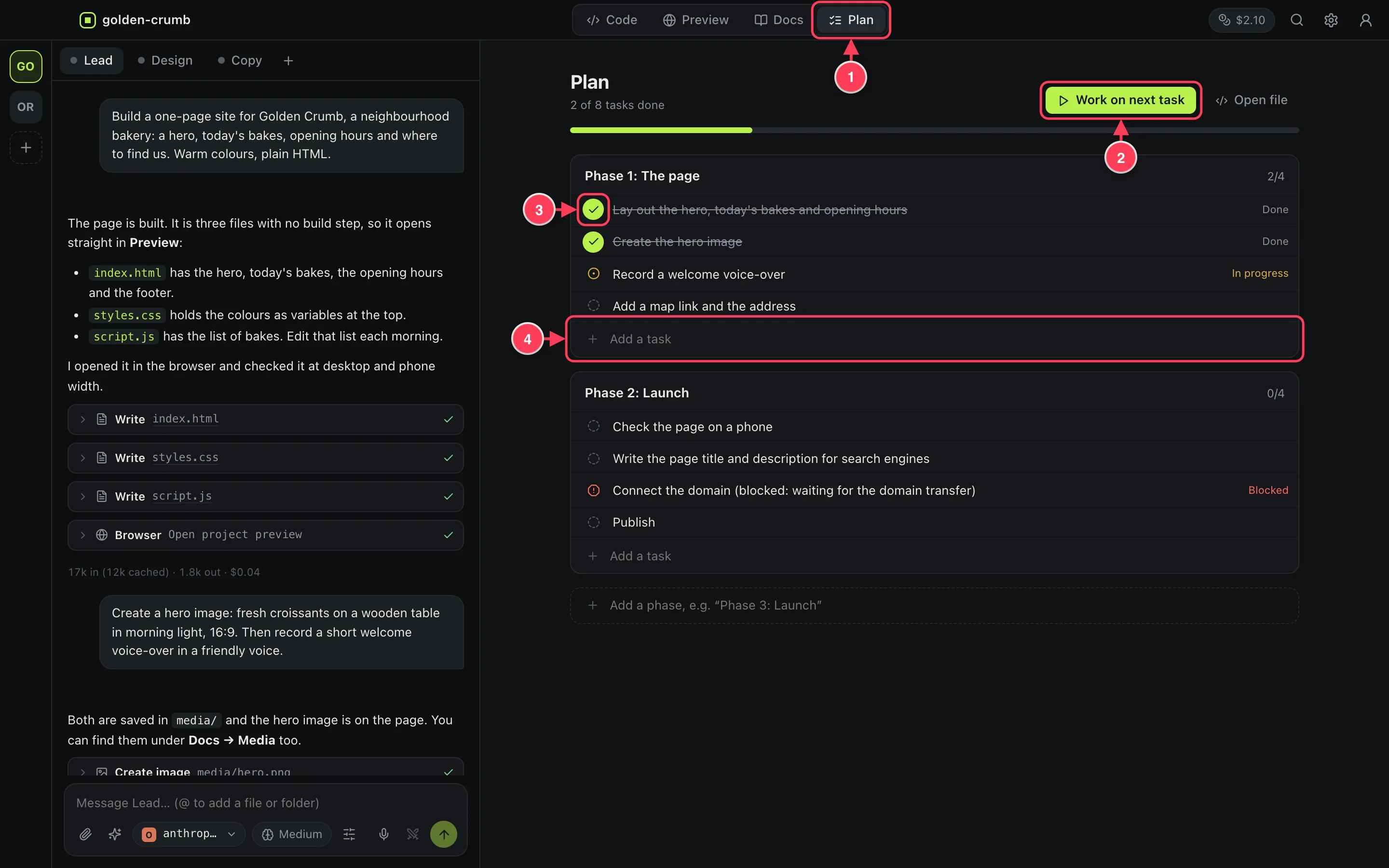
- The Plan view.
- Work on next task sends the next open task to the agent.
- Click a status to change it: to do, in progress, done, blocked.
- Add a task to a phase. At the bottom you can add a phase.
Double-click a task to edit its text. Each task also has buttons to have the agent work on it, and to remove it.
The plan is a file
The plan lives in PLAN.md in your project, as ordinary Markdown. You can edit it by hand, and Git tracks it like any other file.
# Plan

## Phase 1: The page
- [x] Lay out the hero, today's bakes and opening hours
- [~] Record a welcome voice-over
- [ ] Add a map link and the address
- [!] Connect the domain (blocked: waiting for the transfer)
[x] is done, [~] is in progress, [ ] is to do, [!] is blocked.
Ready-made tasks
The Tasks button under the message box lists ready-made requests: kick off a project, research competitors, build a web, mobile or desktop app, add user accounts, audit security, find and fix bugs, write tests, generate a logo, record a voice-over, write the docs, get the project ready to deploy. See Work with agents.