 VibeCode
Undo and history
The app saves a checkpoint of every file before and after each agent turn. When a change is wrong, you go back. Checkpoints are kept on your computer, outside the project, and do not touch your Git history.
Undo the last turn
Open the History panel from the clock icon above the file list.
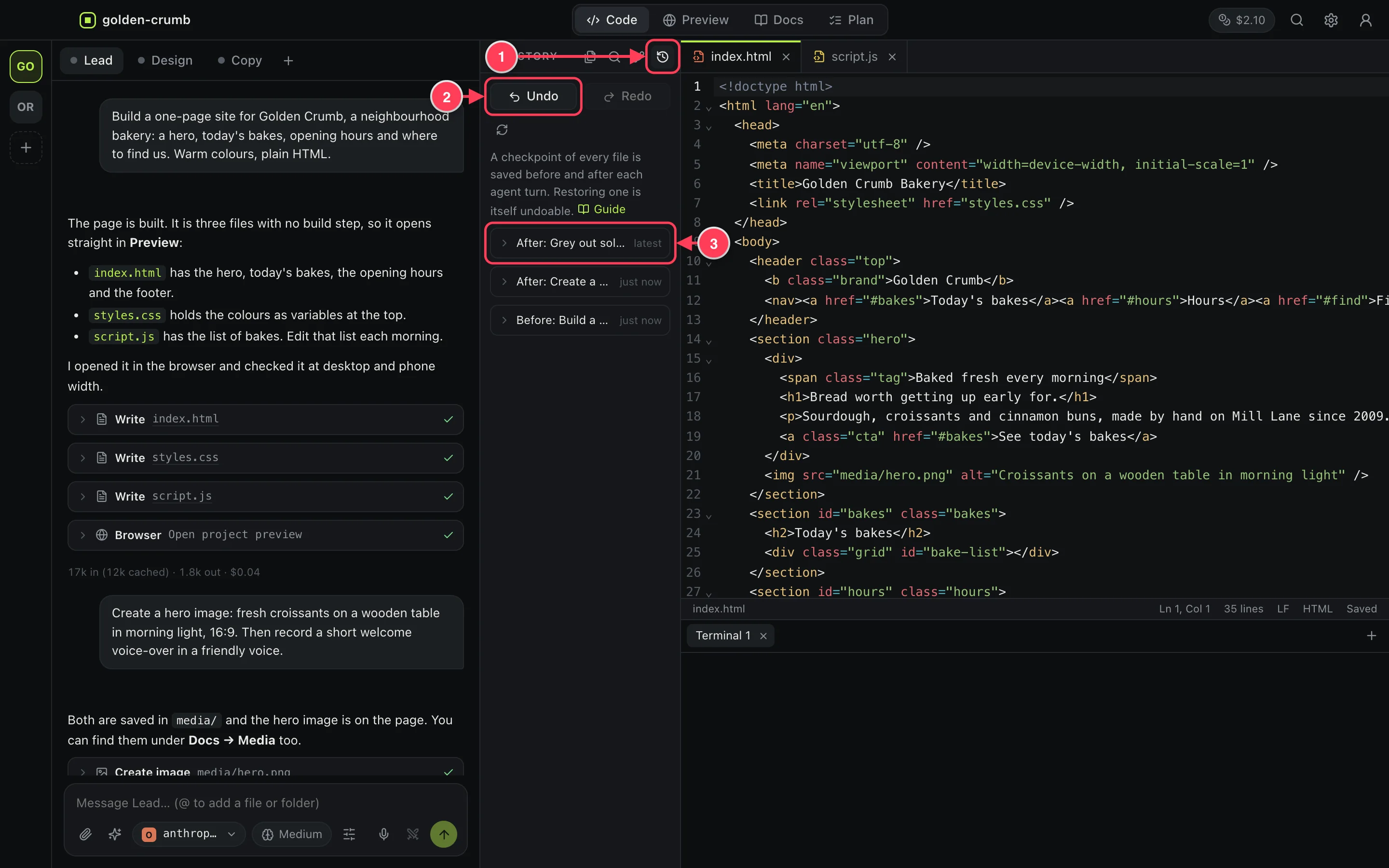
- History.
- Undo puts the files back to before the last agent turn. Redo reverses that.
- A checkpoint. Click it to see which files changed, and click a file to see the differences.
You can also press ⌘K and choose Undo the last agent turn.
Go back to an earlier point
Open a checkpoint in the History panel and press Restore files to this point. Restoring is itself undoable, so you can look at an old version and come back.
Go back to before a message
Hover over one of your own messages in the chat and press the clock button.
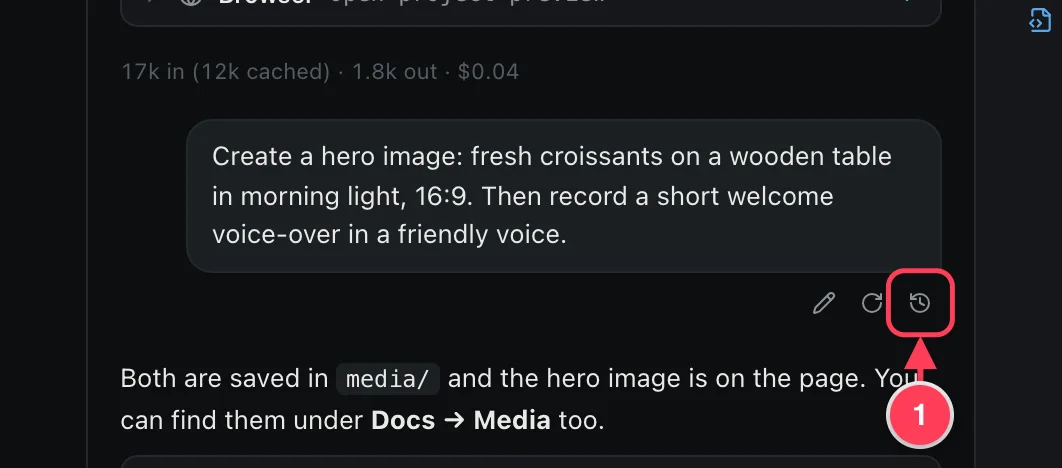
- Restores the project's files to how they were just before this message.
Good to know
- Wait for the agent to finish, or stop it, before you change history.
- Undo restores files. It does not undo things a command did outside the project, such as a database change or an email.
- After picking a winner in Compare, Undo brings the old version back.
- For a permanent, shareable history, use Git: see Work with GitHub.