 VibeCode
Project notebook and skills
A model remembers nothing between conversations. The project notebook fixes that: a few small files in your project that record what was decided and where the work stands. Every agent reads them before it starts.
The notebook files
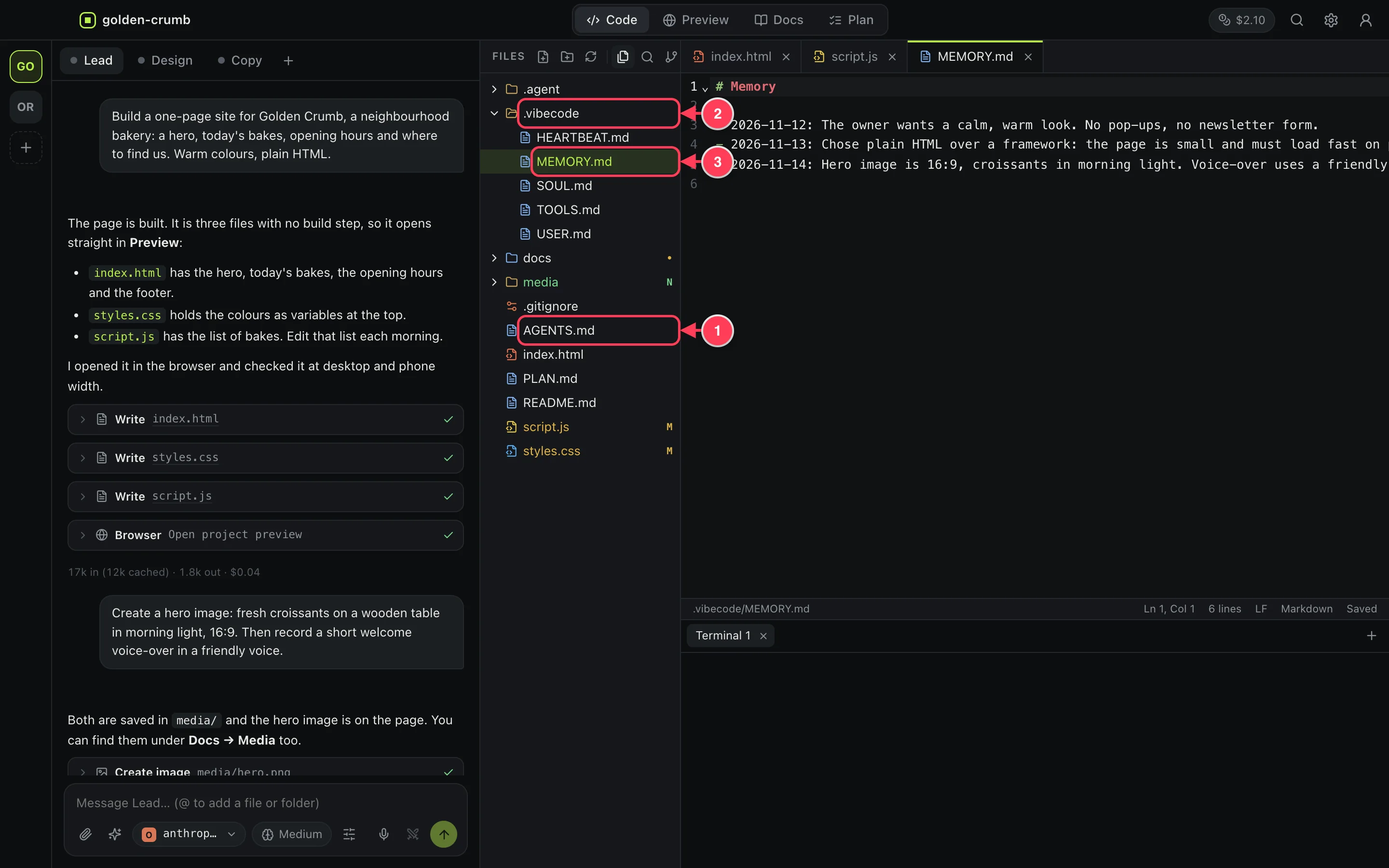
AGENTS.md, the project guide.- The
.vibecodefolder holds the rest. - Each one is a plain text file you can open and edit.
| File | What it holds |
|---|---|
AGENTS.md | The project guide: what this is, how to run it, the conventions, a map of the important files. |
.vibecode/MEMORY.md | Dated decisions: what was chosen and why. |
.vibecode/HEARTBEAT.md | Where the work stands right now: what is in progress, what is next, what is blocked. |
.vibecode/TOOLS.md | The working environment: commands, versions, how to test. |
.vibecode/USER.md | Who the agents work for and how that person likes things done. |
.vibecode/SOUL.md | How agents should behave in this project. |
How it stays up to date
After a turn in which an agent changed files or ran commands, a short extra model call brings the notebook up to date. This uses a small amount of extra tokens per working turn.
You can edit any of these files yourself; agents respect what you write. To turn the notebook off, untick Keep the project notebook up to date in Settings. The files are then no longer created or updated.
Write lasting instructions in the notebook, not in the chat. “Prices are in pounds” in AGENTS.md reaches every agent, in every conversation.
Skills
A skill is a playbook: a short document that tells agents how to do one kind of job. An agent reads a skill when the job calls for it.
The app comes with 27 skills. For the browser: testing, annotated screenshots, screen recording, explainer videos, browser automation and visual checks. For building: code quality, debugging, testing, databases, user accounts, email, Stripe payments, UI design, accessibility and performance. For shipping: Git workflow, deployment, mobile release, a launch checklist and security review. For words and research: product documentation, landing page copy, an SEO audit, competitor analysis, web research and media editing.
See and import skills
Open Settings and choose Skills. The page lists the skills of the open project and the built-in ones, and lets you bring in more.
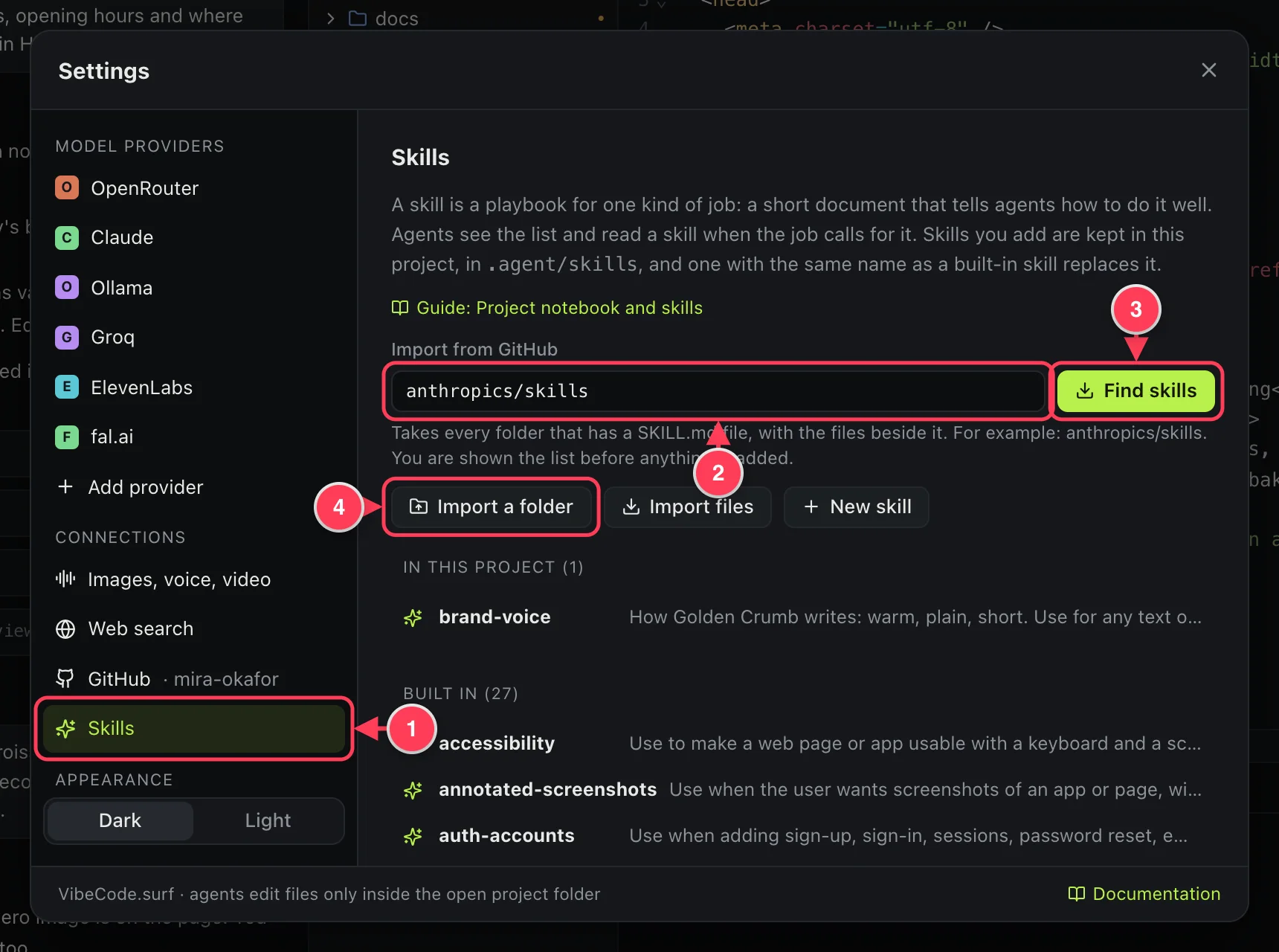
- Skills.
- A GitHub repository, as
owner/repoor the address of a folder inside one. - Find skills looks in the repository and shows you the list before anything is added.
- Import a folder or Import files takes skills from your computer.
- From GitHub, every folder with a
SKILL.mdfile is taken as one skill, together with the files beside it. This is the layout many public skill collections use. - Imported skills are saved in the project, in
.agent/skills, so they travel with it and are tracked by Git. - A private repository needs GitHub connected in Settings.
A skill is a set of instructions your agents will follow, and some bring scripts along. Import only from a source you trust, and read a skill before relying on it.
Write your own
- Press ⌘K and type “skill”.
- Choose New skill (a playbook agents follow).
- Fill in the template and save.
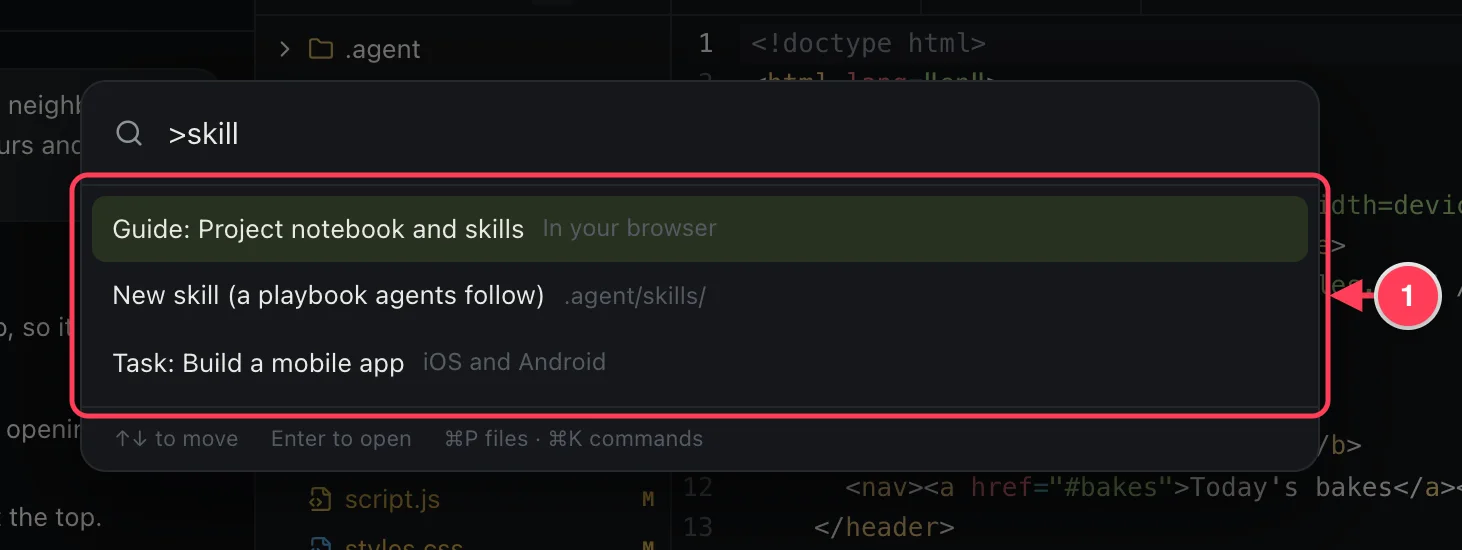
- New skill creates
.agent/skills/my-skill.mdand opens it.
---
name: brand-voice
description: How we write: warm, plain, short. Use for any text on the page.
always: false
---

Write like a baker talking over the counter. Short sentences.
Never use: artisanal, curated, experience, journey.- name and description tell agents when the skill applies. Write the description carefully: it is what the agent sees when deciding.
- always: true loads the skill into every conversation. Use it sparingly, since it costs tokens each time.
- A skill in your project with the same name as a built-in one replaces it.